
Language
Splitini is available in six languages — English, Italiano, Español, Français, Deutsch and Русский — and it follows your phone. If your phone is in German, so is the app: nothing to set up, nothing to find.
Changing it
Section titled “Changing it”Open Profile and use the Language picker:
- System — follow the phone. This is the default.
- English
- Italiano
- Español
- Français
- Deutsch
- Русский
The change is immediate; there’s no Save button and nothing to restart. It’s a setting on this phone, like the phone’s own language picker — so it doesn’t follow you to another device.
The language names are deliberately shown in their own language. If you’ve ended up in a language you can’t read, look for Italiano or Español rather than for a translated word.
Dialects
Section titled “Dialects”Under the Language picker there’s a second one: Dialect. It’s the same app in a regional voice — the small words and turns of phrase its speakers are actually recognised by, rather than a dictionary translation of the same sentence.
Nineteen of them ship, three or four under each language:
| Language | Dialects |
|---|---|
| English | Scots, Irish, Ol’ West, Pirate |
| Italiano | Vèneto, Romanesco, Napulitano, Piratesco |
| Español | Rioplatense, Andalûh, Mexicano |
| Français | Québécois, Marseillais, Walon |
| Deutsch | Boarisch, Schwiizerdütsch, Weanerisch |
| Русский | Канцелярит, Жаргон |
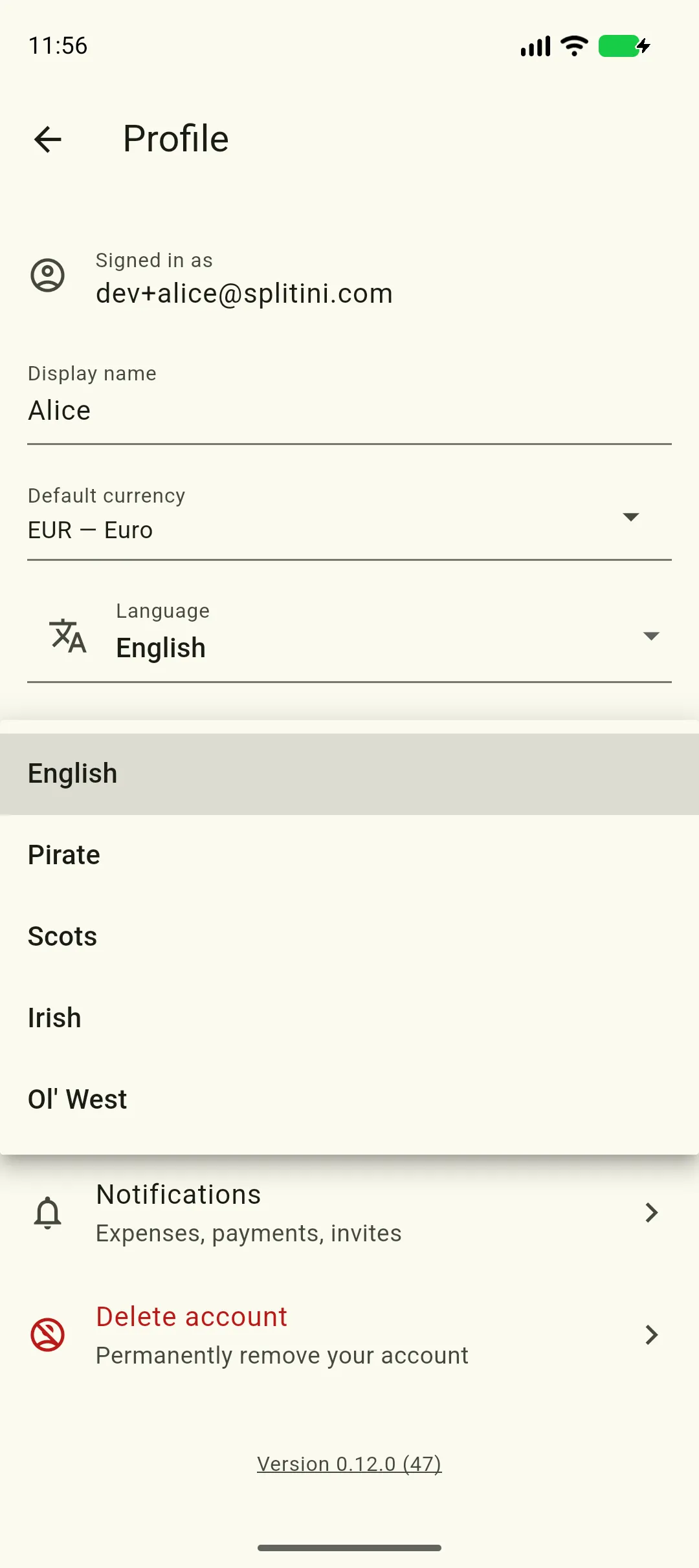
Pick a language first — the Dialect picker stays greyed out while you’re following the phone, because a dialect belongs to one language and the phone’s could change tomorrow. Changing language clears the dialect.
The list underneath is filtered to whatever you chose above, so you only ever see the dialects that sit under it.
Amounts and dates follow too
Section titled “Amounts and dates follow too”The language you’re in decides how money and dates are written:
| English | Italiano | Français | Deutsch | |
|---|---|---|---|---|
| An amount | €12.50 | 12,50 € | 12,50 € | 12,50 € |
| A date | Aug 8, 2026 | 8 ago 2026 | 8 août 2026 | 8. Aug. 2026 |
This matters most where you type an amount rather than read one. The amount
field accepts either a comma or a dot as the decimal point, so whichever one
your keyboard offers is the right one: 12,50 and 12.50 are the same €12.50.
What stays in English
Section titled “What stays in English”A few things are the same in every language, on purpose:
- Currency names in the currency picker, so that searching for “dollar” or “franc” finds what you’d expect wherever you are.
- Currency codes — EUR, GBP, JPY.
- Brand names: PayPal, Satispay, IBAN.
Notifications
Section titled “Notifications”Notifications arrive in the language you picked here. They’re written by a part of the app that runs while Splitini is closed and deliberately reads as little as possible, so it can’t see the setting on your phone — which is why your choice is stored with your account, purely so a notification can be written in it.
If you’re following the system rather than choosing a language, nothing is stored and notifications simply follow your phone’s language instead. There’s more on this in the privacy policy.