
Getting started
Splitini keeps track of who owes whom when friends share expenses. Here’s the whole flow in four steps.
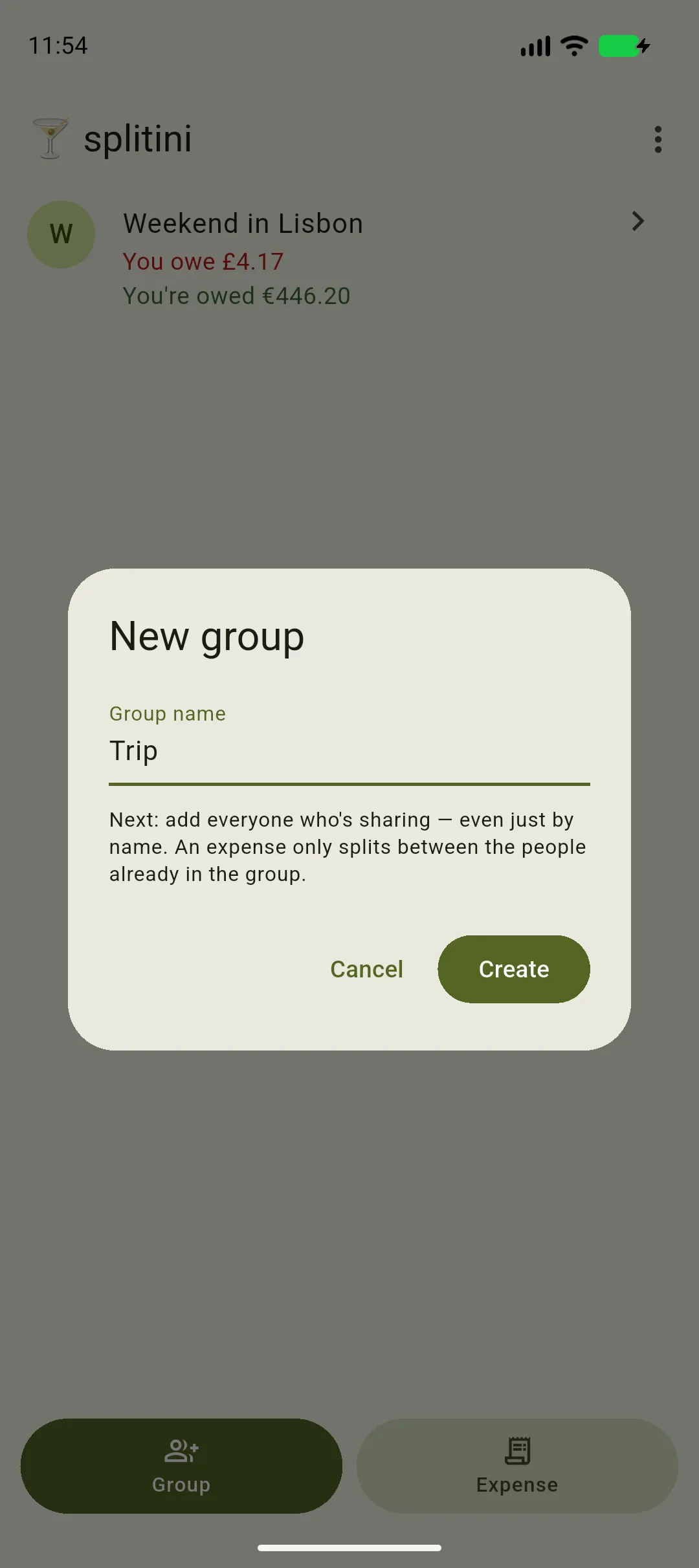
1. Make a group
Section titled “1. Make a group”Create a group for a trip, a flat, or a night out. The quickest way to add someone is by email — the invitation waits in their app until they accept, and nothing about them is shared with the group until they do.
Don’t have their address yet? Add them by name (a ghost member), split expenses straight away, and send the invitation from the members screen once you’ve asked — everything already recorded for them comes along. You can also share an invite link or code.
However you add someone, Splitini then offers you their invitation to send: a link you can pass on through WhatsApp, Messages, email — whatever you already use — or a QR code if they’re sitting next to you. Sending it is up to you: adding someone never messages them on your behalf, and the link asks them to join rather than joining them.
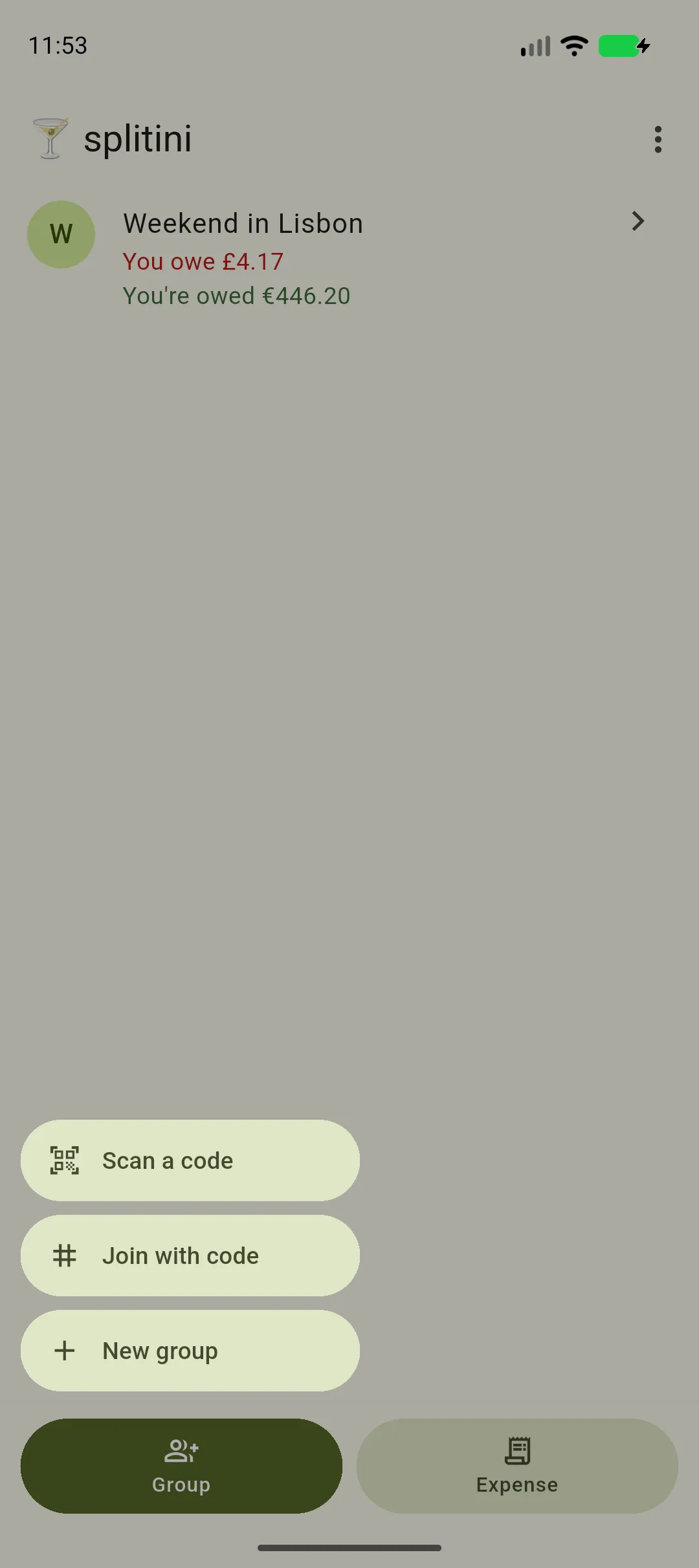
Joining one somebody else made
Section titled “Joining one somebody else made”Been given a code? Tap Group at the bottom of the groups list and you get three ways in: New group, Join with code, and Scan a code to read a QR with the camera instead of typing ten characters.
Scanning opens the group and asks. Joining is still a button you tap.
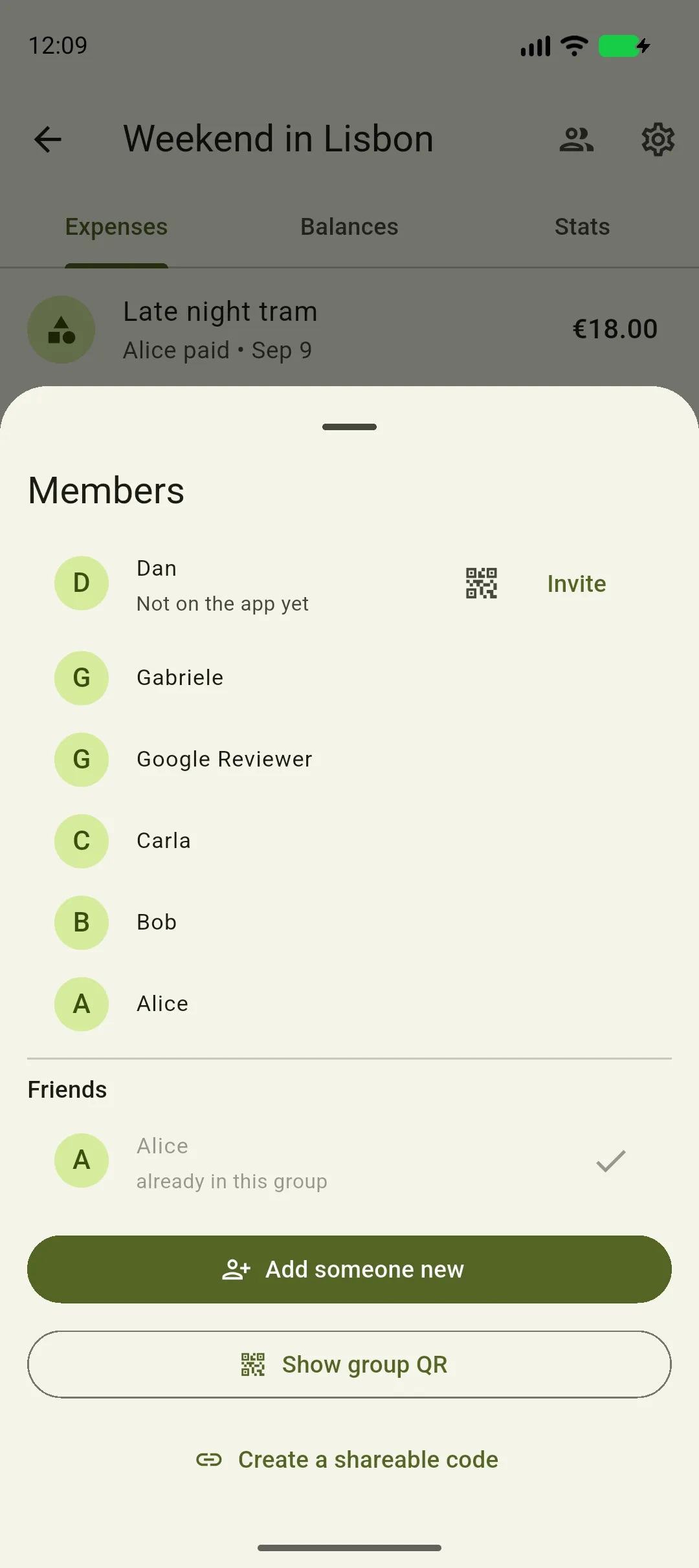
Everyone in one sheet
Section titled “Everyone in one sheet”The people icon in a group opens the members sheet: who’s in, who’s still only a name, and every way of adding somebody else.
Anyone who has accepted your invitation, or whose invitation you accepted, becomes a friend and appears under Friends with a tickbox — no invite needed. Tick everyone you want, then press Add: nothing is sent until you do, because a member can’t be removed once added. If you add a friend to a group, their payment details stay hidden from it until they confirm they want to be there.
Adding people who are with you
Section titled “Adding people who are with you”Reading a ten-character code across a table is nobody’s idea of a good time, so Splitini can show it as a QR code instead. Point a phone camera at it and it opens the group in Splitini — or, if that person doesn’t have the app yet, a page with the code and a link to install it.
There are two, and they do different jobs.
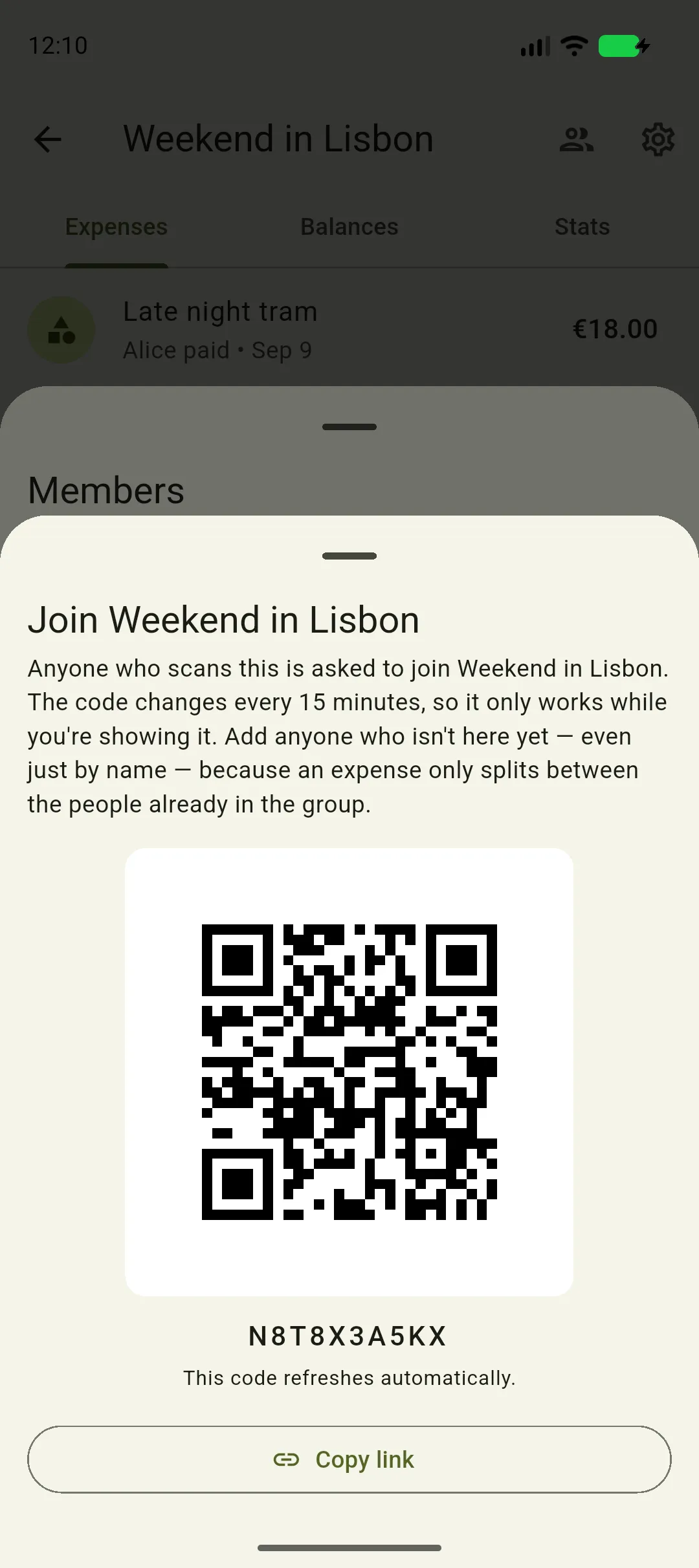
Show group QR — on the members screen. Anyone who scans it is asked to join the group. It changes every 15 minutes, so it works while you’re holding your phone up and not for a week afterwards. Use it when several people need adding at once.
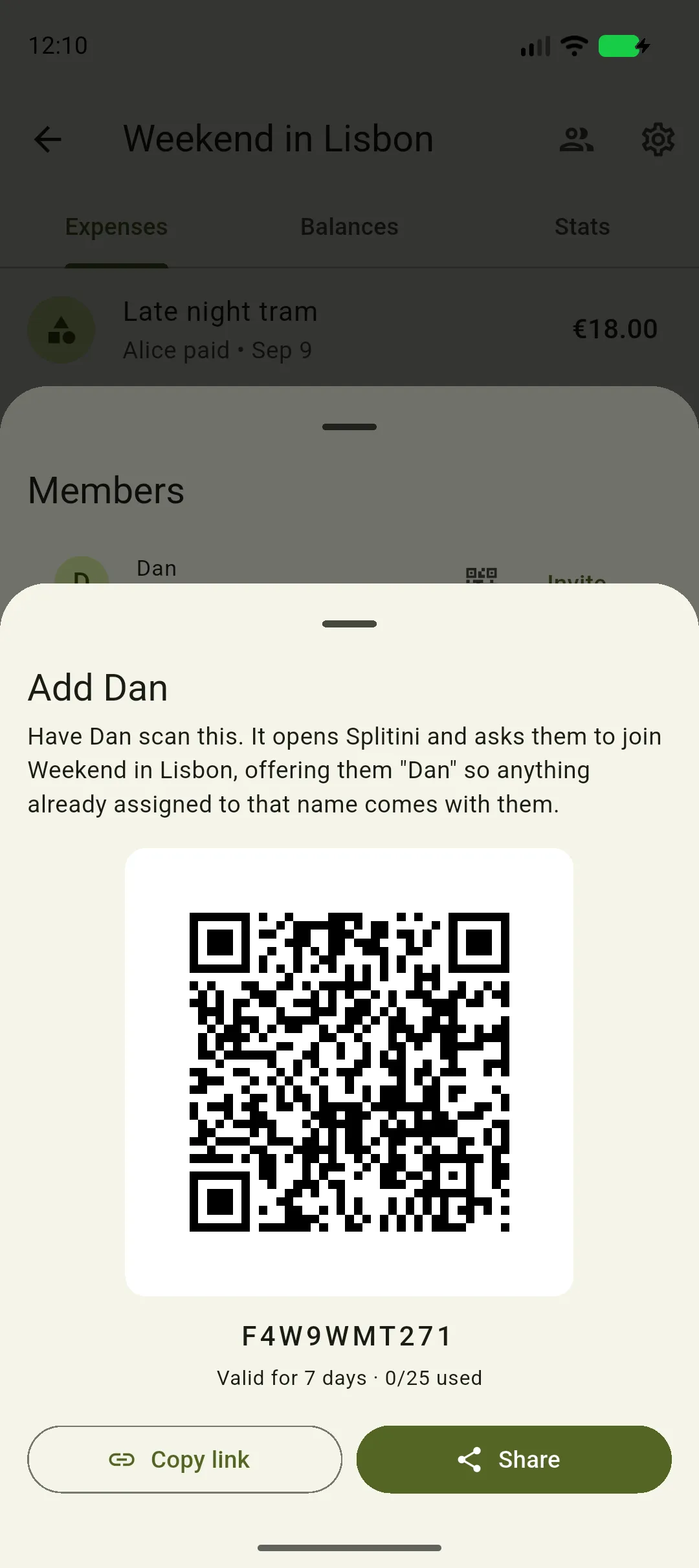
The QR beside a name — on the members screen, next to anyone you added by name. That one is for that person specifically: when they scan it, Splitini offers them their own entry first, so everything already recorded against that name comes with them. It’s valid for 7 days, and they can still tap No — that’s not me and pick a different one.
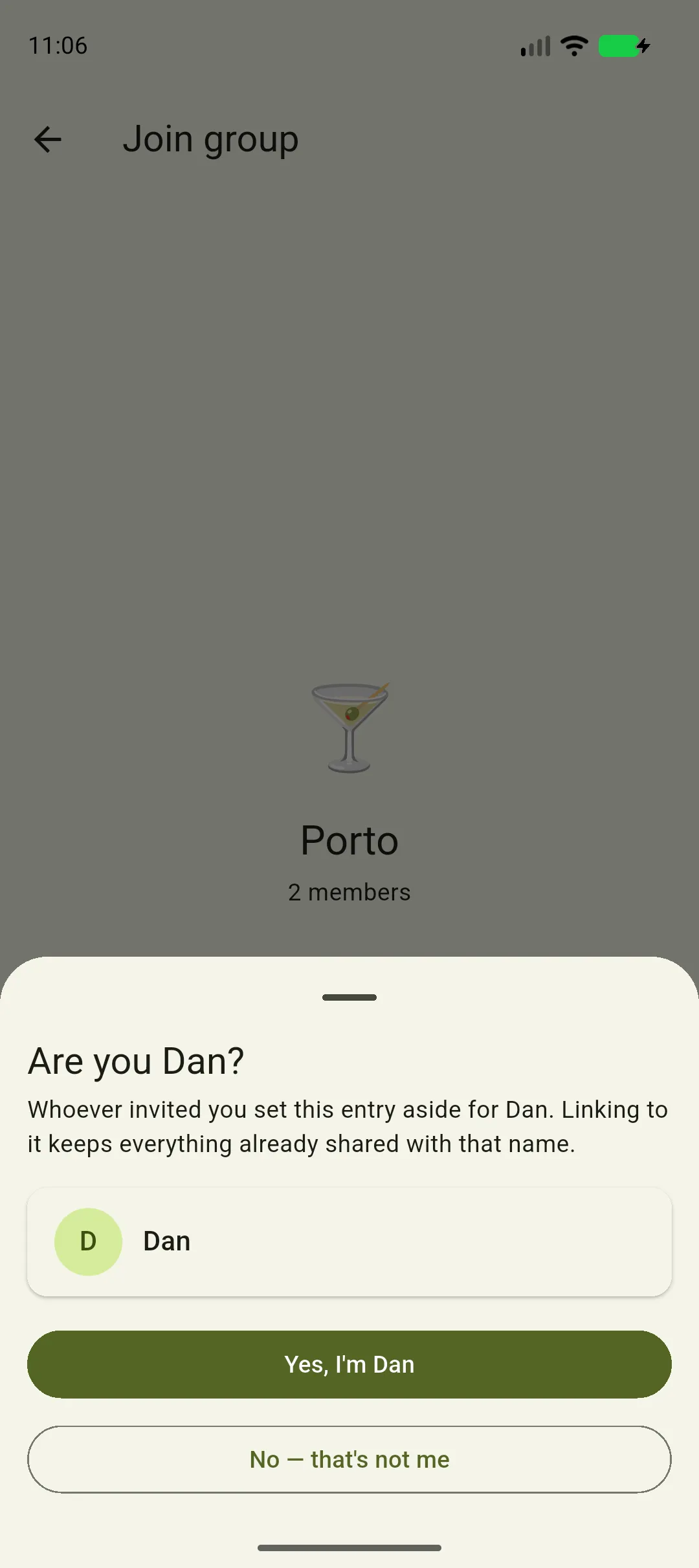
Scanning never joins anyone to anything on its own. It opens the group’s invite screen and asks; there’s still a Join this group button to tap.
A QR is the invite code in another shape, so treat it the same way: anyone who can see it can ask to join. Both screens show when the code expires, and Revoke is one tap away in group settings.
2. Add expenses
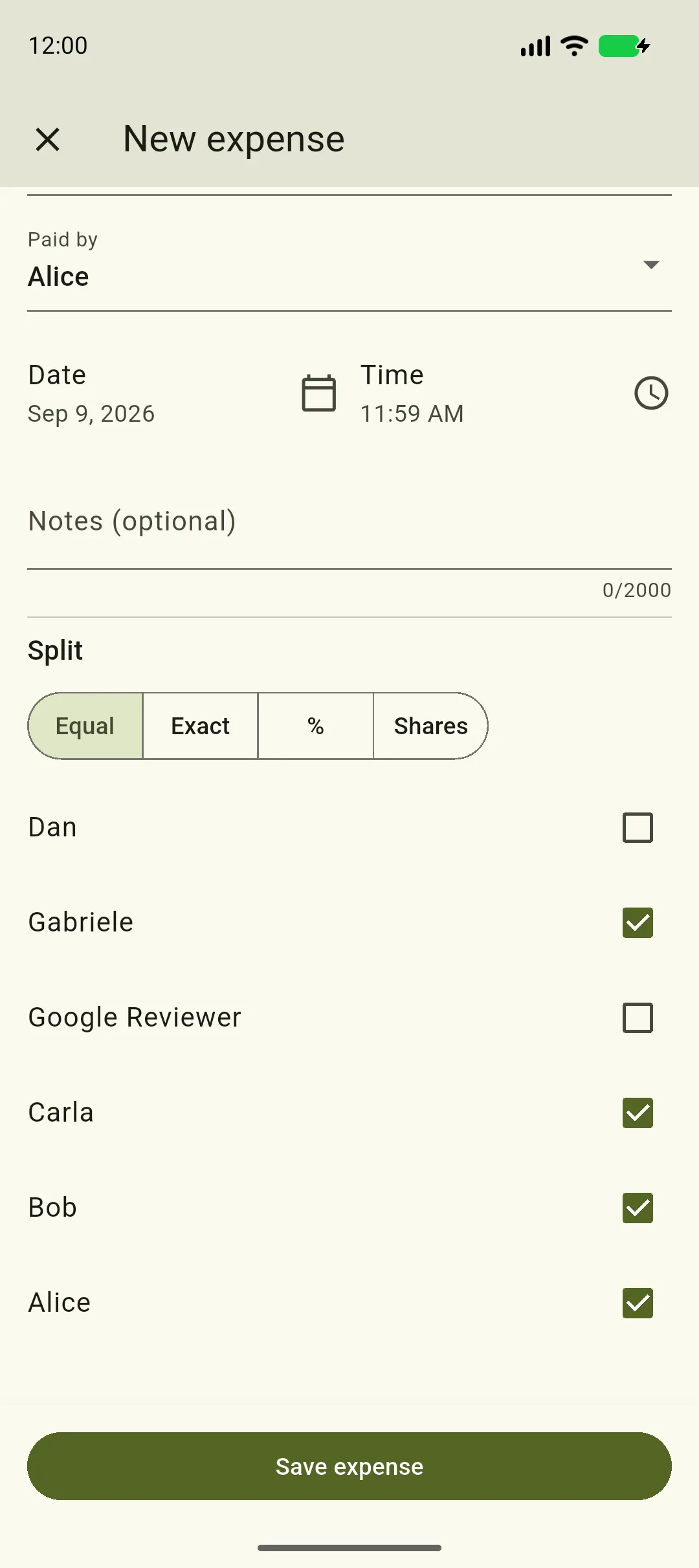
Section titled “2. Add expenses”Log what was paid, who paid, and how to split it — equally, by exact amounts, by percentage, or by shares. Every amount is tracked to the cent, so splits always add up exactly. Add an optional note for context.
Every expense carries its own currency, picked from the full list — type a code (USD) or a name (“dollar”, “franc”). Splitini starts you on whatever you last used in that group, so a trip abroad only needs setting once.
There are four ways to add one, and Expense at the bottom of the screen opens all of them: Say it, Scan receipt, Receipt from gallery, or Enter manually.
Scan receipt goes straight to the camera and fills the form in from the photo, and Receipt from gallery does the same with one you took earlier; see Receipts. Say it lets you talk instead — “forty, no, forty-five for dinner last night, split with Anna and Marco” fills in the amount, the date, the description and the split. You can correct yourself mid-sentence, and what you said is saved in the expense’s notes so everyone can see where the numbers came from. Nothing is saved until you have checked it and tapped Save.
Expense sits along the bottom of the groups list too, so you don’t have to be inside a group to start one — the form opens on the group you were looking at, with a dropdown to change it.
Tap any expense for its full breakdown, then edit or delete it — a deleted expense comes back with a one-tap Undo.
3. See balances
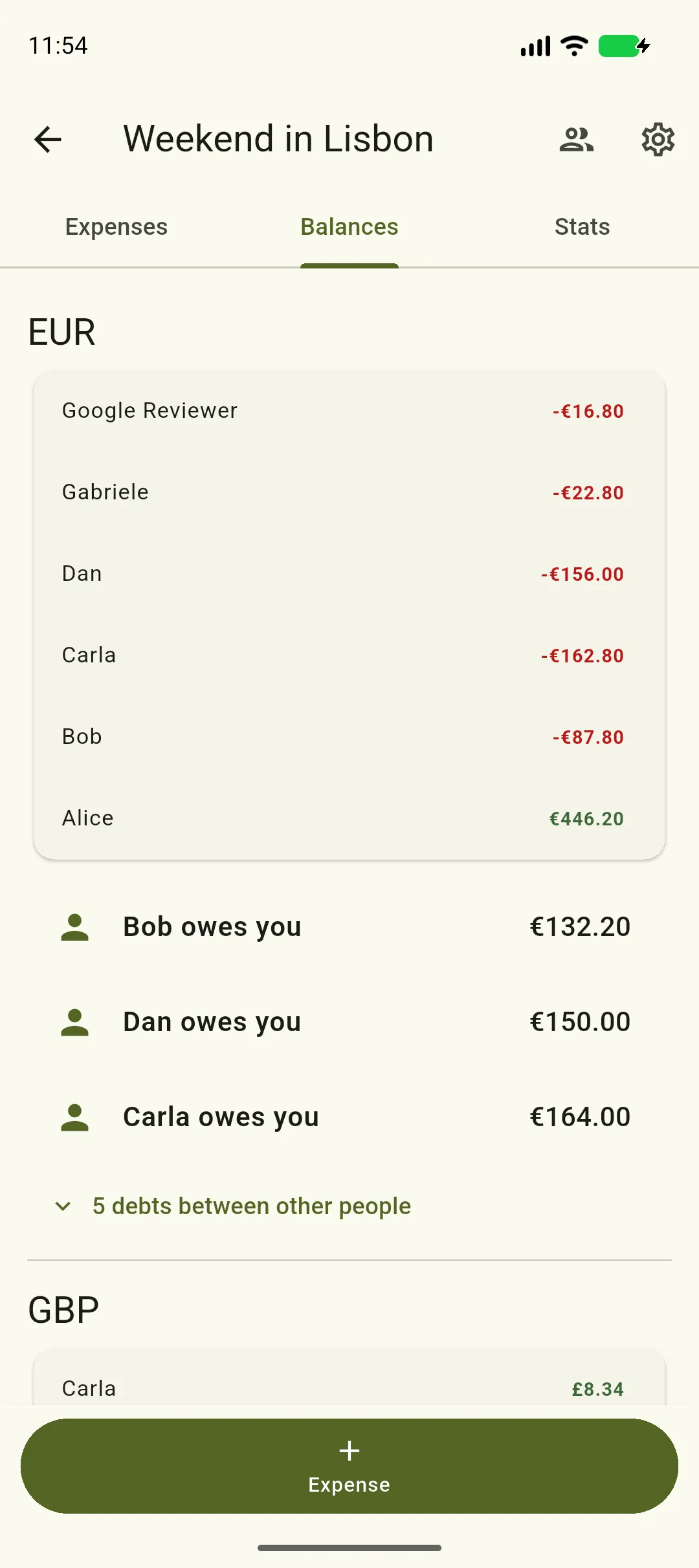
Section titled “3. See balances”The Balances tab shows each person’s net position and the plain pairwise debts. Yours come first — “You owe Bob”, “Alice owes you” — and everyone else’s are tucked behind a line like “2 debts between other people”, which you can open whenever you want the full picture. Nothing is hidden from you: Splitini never simplifies debts into a tidier set, so the arithmetic always adds up to what actually happened, and you can settle any of them.
Balances are per-currency — a group can mix currencies and they never get blended together.
The groups list gives you the short version before you open anything: under each group’s name it says what you owe or are owed there, one line per direction and never blended into a single figure. A group that’s still running but has none of your money left in it says “You’re all square”; one that’s finished says “All settled up” and drops to the bottom.
4. Settle up
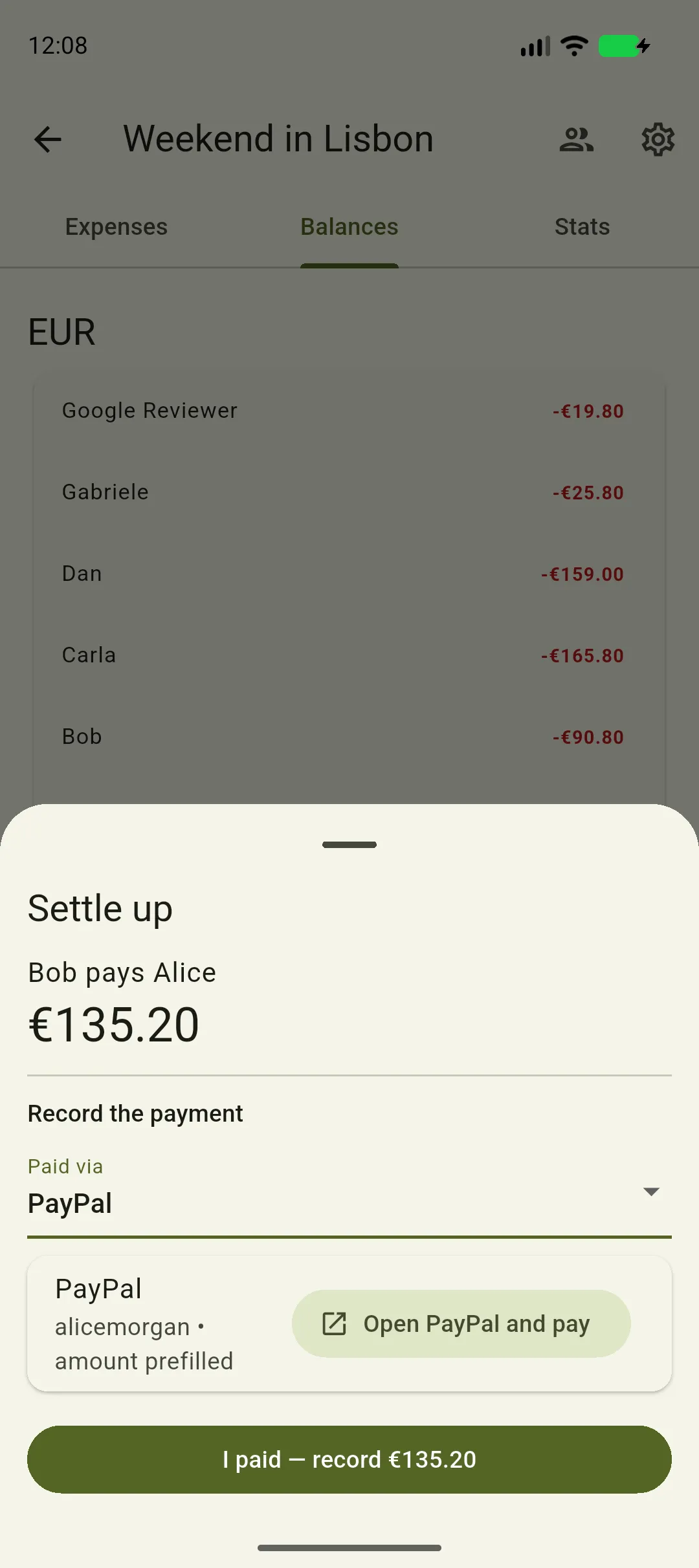
Section titled “4. Settle up”When someone pays a debt back, record it. If the person they owe has saved a payment method, Splitini can open it for them — see Settle up & payment links.
Who can do what
Section titled “Who can do what”Everyone in a group can do nearly everything. There is no owner, no admin, and no list of permissions to keep on top of: any member can rename the group, add people, create or revoke an invite code, cancel a pending invitation, and add, edit or delete an expense — including one somebody else recorded. Splitini is for people who already trust each other with money, and a permissions screen mostly gets in the way of whoever is trying to fix a typo.
Three things sit outside that:
- Deleting the group is for whoever created it, while they’re still in it — and once they’ve left or deleted their account, for the last person still there. It erases every expense, balance and settlement for everyone, so it isn’t something any member can do on a bad day.
- A recorded payment can’t be changed or removed, by anyone. It’s one person’s account of money that moved in the real world, and deleting it would make somebody’s debt reappear.
- Nobody can remove anybody else. People leave for themselves, from group settings, and everything already split with them stays split. If you’re the last one there, delete the group instead.
When you have no signal
Section titled “When you have no signal”Splitini still opens. You’ll see everything as it was when it last reached us, with a note at the top saying what time that was — so you know what you’re looking at is a snapshot, not the latest word.
You can still add an expense. It appears in the list marked Pending and is sent the moment you’re back online. It won’t be lost if you close the app, and it can never be sent twice, so it’s safe to reopen the app or retry.
While an expense is still waiting, that group’s balances don’t yet include it, so settling up is paused and the Balances tab tells you how many expenses are outstanding. Once they’ve all reached us, settle-up comes back.
The groups list says so too: a group holding something unsent shows “Some changes haven’t synced yet” under its name, so the amounts above it are never mistaken for the final word.
If we ever refuse one — say the group changed while you were away — it stays in the list marked Didn’t sync, rather than quietly disappearing. Tap it to try again or discard it. Nobody is charged for an expense in that state.
Light and dark
Section titled “Light and dark”Splitini follows your phone. Set your phone to dark mode and the app is dark; set it back and the app is light. There’s nothing to switch on, and no setting in the app to keep in step with it.
“Splitini says I need to update”
Section titled ““Splitini says I need to update””Occasionally a new version changes how the app talks to our servers, and older versions stop working properly. When that happens Splitini asks you to update instead of failing in confusing ways. Tap Update Splitini to go to the store — your groups, expenses and balances live on your account, so nothing is lost.
Most updates aren’t like that. On Android you may instead see a small message saying a new version is available: tap Update and Google Play downloads it in the background while you carry on using the app, then offers to Restart when it’s ready. You can ignore it — nothing installs, and nothing restarts, unless you ask.