
Stats
Every group has a Stats tab, next to Expenses and Balances. It answers the question a list of expenses can’t: where did it all go?
Three views, all from the same numbers your group already recorded:
- By category — a donut and a breakdown, biggest first. Usually the fastest way to spot that a trip was really about accommodation.
- By month — one bar per month. Quiet months stay visible as gaps rather than being squeezed out, so a long trip and a long lull look different.
- Paid vs share — two bars per person: what they paid out, against what their shares came to. This is the view that answers “am I fronting everything?”
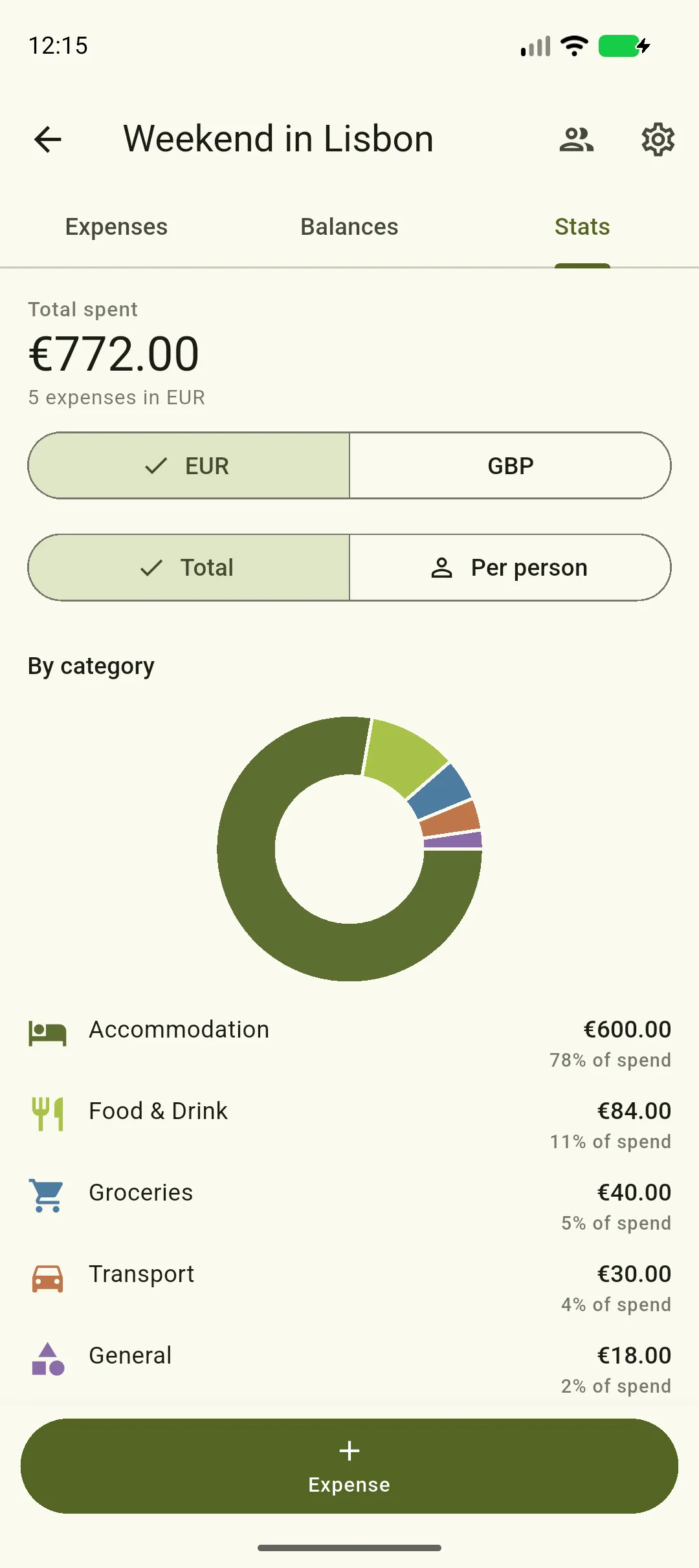
Above the charts, the total for the currency you’re looking at, and the two toggles that change every figure on the tab.
Total, or per person
Section titled “Total, or per person”The Total ⇄ Per person toggle at the top switches every figure between what the group spent and the average per person.
“Per person” divides by the people who actually took part in that bucket, not by the size of the group. If four of you went to dinner in a flat-share of seven, that dinner divides by four. Someone recorded with a zero share isn’t counted at all — a zero share means they didn’t have any.
The Paid vs share view doesn’t change with the toggle, because each bar is already one person. In per-person mode it gains a dashed line showing the average share, so you can see at a glance who is above and below it.
The toggle is hidden in a group where you’re the only participant — there, both views would show the same number.
More than one currency
Section titled “More than one currency”Splitini never converts between currencies, and that includes the charts. If a group has expenses in more than one, a small currency selector appears and the tab shows one currency at a time — starting with the group’s own currency.
This is deliberate. A chart compares sizes, and comparing the size of a yen bar to a euro bar would mean an exchange rate, which Splitini doesn’t apply anywhere. Switch currencies with the selector to see each set of numbers on its own.
What the numbers include
Section titled “What the numbers include”- Deleted expenses are excluded, including ones deleted after the fact.
- Settlements are not counted. Paying someone back moves money between you; it isn’t new spending, so it would double-count. Settlements live on the Balances tab.
- Everyone in the group counts, including people added by name who have never installed the app, and people who have since left — the money was still theirs.
- Anything still waiting to sync isn’t included yet, and the tab says so when that’s the case. Open the app on a connection and it catches up.
Offline
Section titled “Offline”Stats work offline from the last copy your phone saved, like the rest of the app. You’ll see the usual banner telling you when that copy was taken. Pull down to refresh once you’re back on a connection.